Ruckus · Integration guide
Configuration for Ruckus APS
Configuration with Ruckus APS
In Ruckus platform, first we must go to System > General Settings
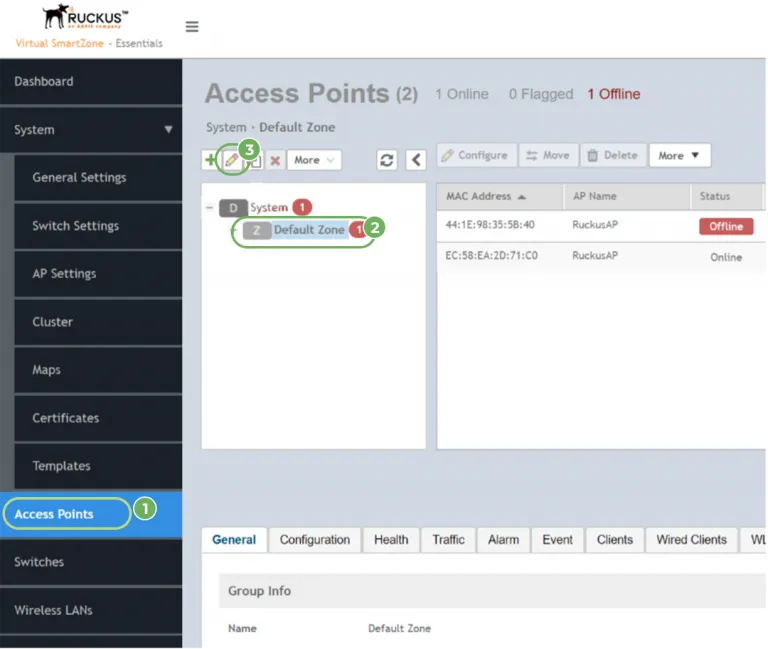
- Click on Access Points in the menu on the left.
- When it is loaded, select the zone to be connected
- Press the edit button
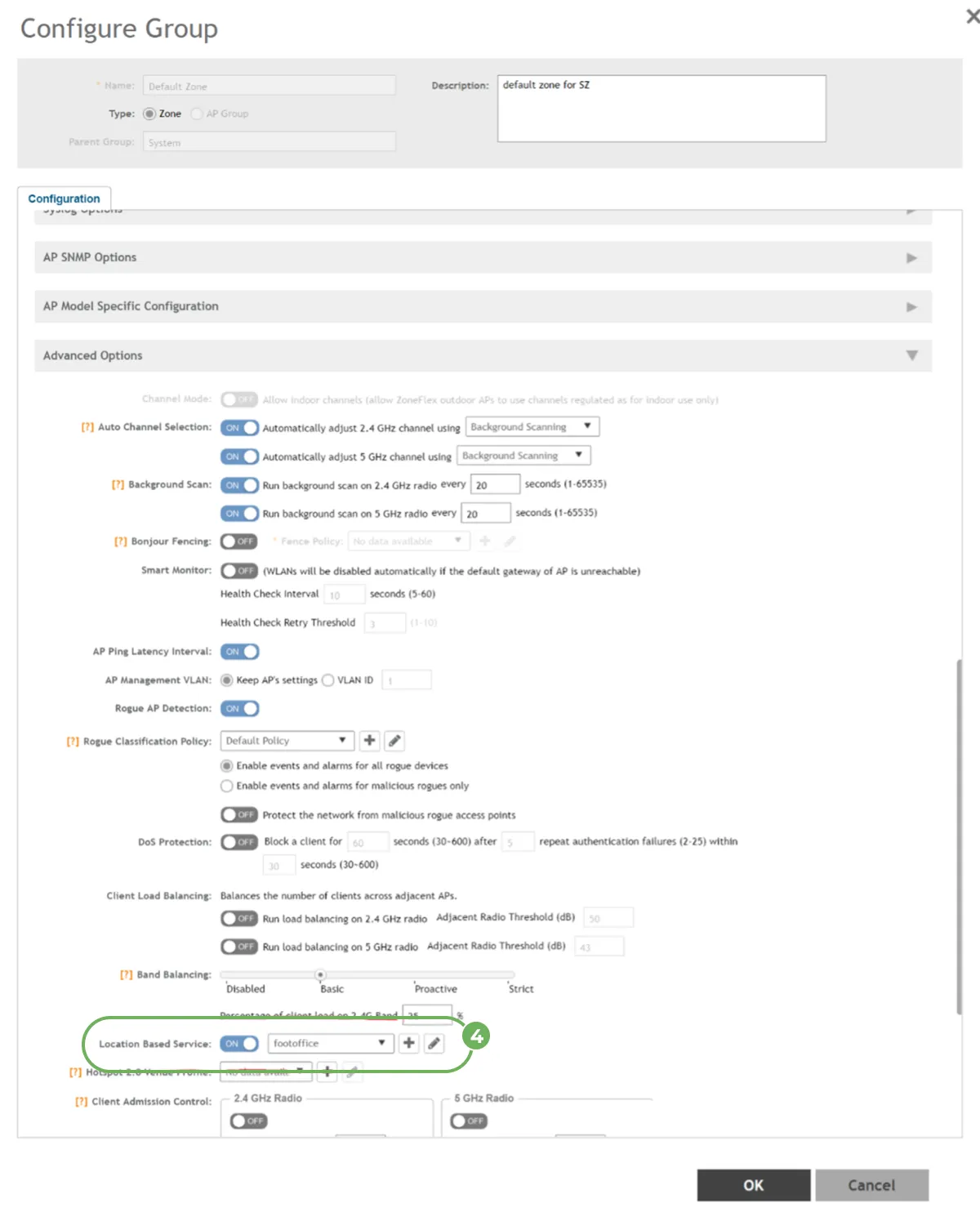
- A settings window will appear. Then go to Advanced Options, enable the Location Based Service and select (or create) Venue.